Coding Companion for RevolutionEHR
Save time and frustration: build your exam codes once and add them to a RevolutionEHR encounter in one step.
Save time on every exam, and skip the frustration of entering the same codes again and again.
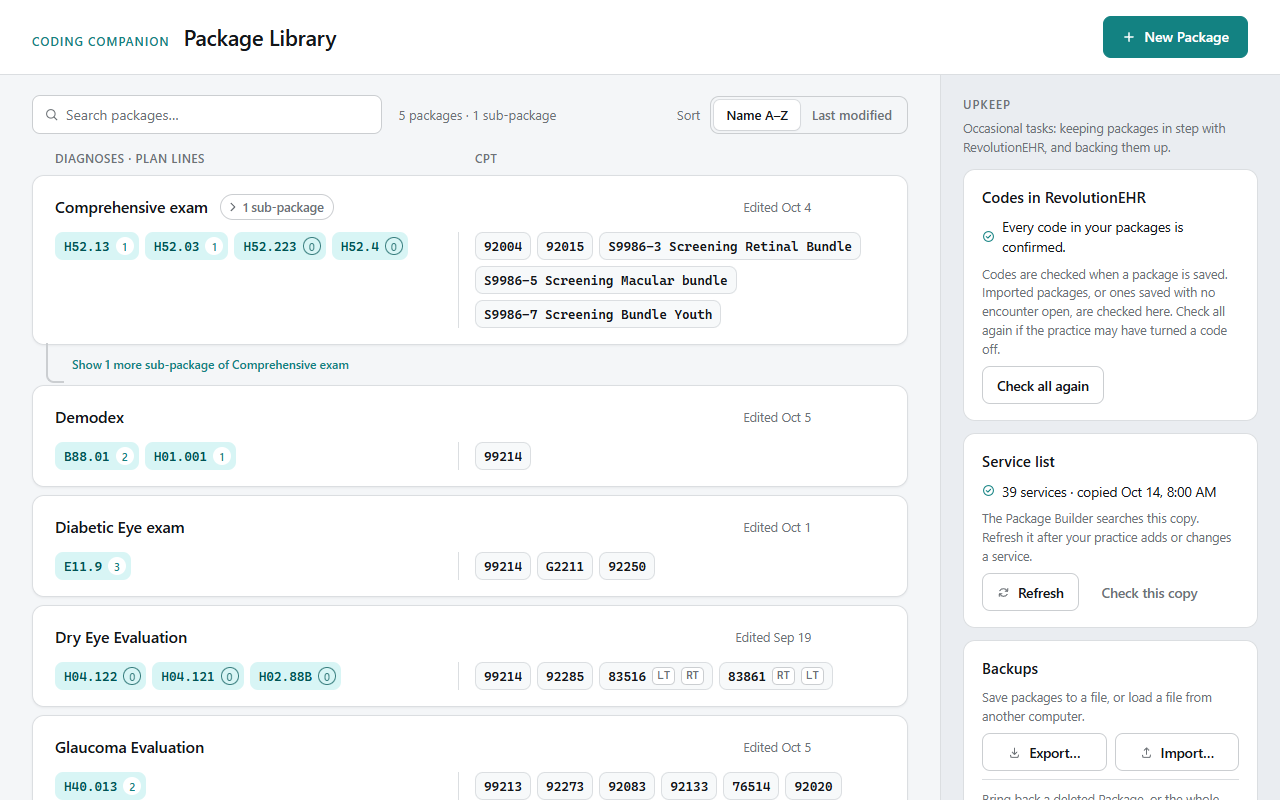
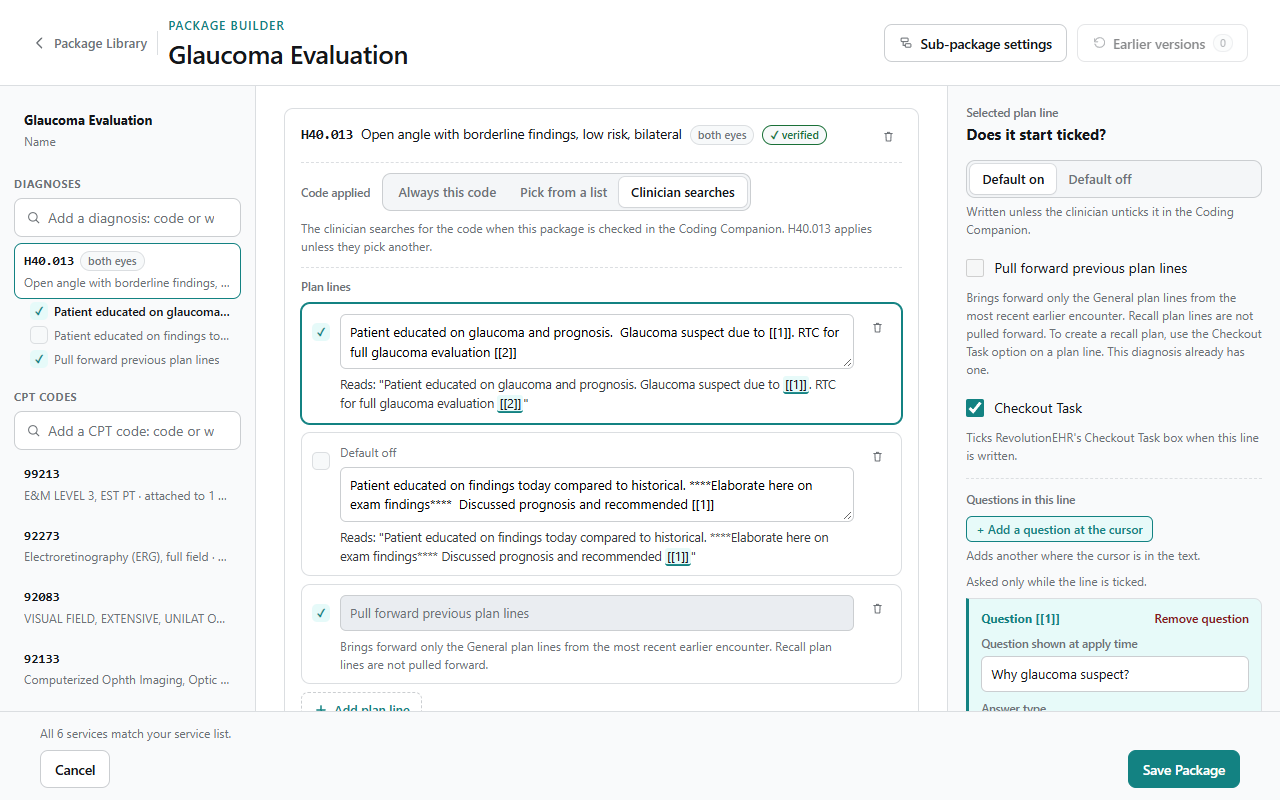
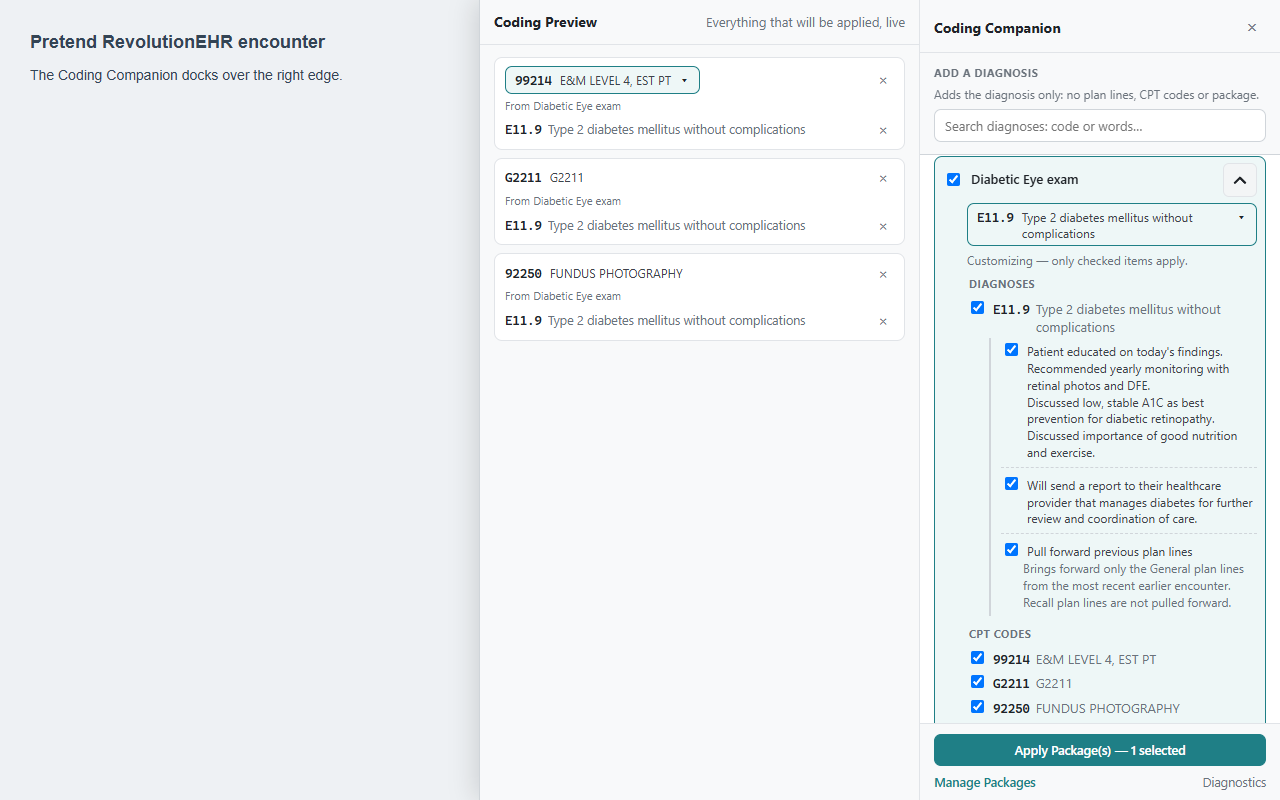
Coding Companion turns the codes you type over and over (diagnoses, plan text, and CPT services) into Packages you build once and add to a RevolutionEHR encounter in one step. A dry eye workup, a glaucoma follow-up, a diabetic eye exam: check the Package, glance at the preview, apply. What used to take a string of searches, clicks, and copied plan text now takes one click.
The exam stays yours to customize. Everything a Package adds is an ordinary RevolutionEHR entry, so you can still edit, add, or remove any diagnosis, plan line, or service on the encounter afterward, just as you would by hand.
Built for eye-care practices on RevolutionEHR:
- See everything before it's written. Coding Preview lists every code, merges the same service from several Packages into one line, and warns when visit codes can't be billed together.
- Adjust as you apply. Change 99213 to 99214, pick a glaucoma stage, or fill in a blank in a plan line, right before the codes go in.
- Plan text your way. Plan lines can start ticked or unticked, tick RevolutionEHR's Checkout Task box, or bring forward a diagnosis's plan lines from the most recent earlier visit.
- A faster diagnosis search. Find a code by words in any order or by common abbreviations (POAG, ARMD, NIDDM) and add it on its own.
- Safe by design. Nothing already on the encounter is changed or removed, and anything that fails is tried again and reported.
- Share across the practice. Export your Packages and import them on every computer.
Your data stays with you: Packages and settings live in your browser. The extension sends nothing anywhere and has no analytics.
Coding Companion for RevolutionEHR is an independent tool, not made by, endorsed by, or affiliated with RevolutionEHR. Requires a RevolutionEHR account; works only on revolutionehr.com.
Prefer not to load it here? Open on YouTube.
Screenshots use sample data.
If I make a new Package or change one, does it apply to anyone else?
No. Packages are saved in your browser on your computer, so changes are only seen by you. Someone on another computer, another Windows account, or another browser or browser profile won't see them. Anyone using the same browser profile as you will. To share Packages, use Export and Import in the Package Library.
Is this extension HIPAA compliant? Does it share patient data with anyone?
It doesn't share any data with anyone, including its developer: the extension makes no network requests of its own. Your Packages stay in your browser, contain codes and plan text rather than patient information, and no one else can see them unless you export and share the file. It also never reads who the patient is. From the page address it takes only the encounter ID, and it reads only what is already on the open encounter to avoid adding anything twice, without keeping or sending it. Whether a practice's use of any software meets HIPAA is for the practice to decide. See the privacy statement.